Safely Removing Battery Acid from SNES Cartridges: Ultimate Guide
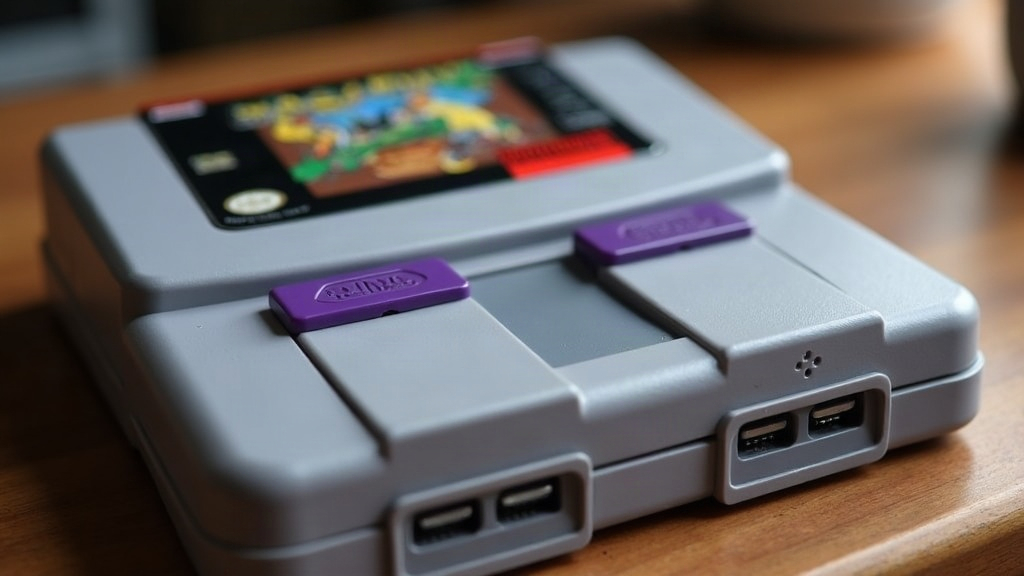
Discovering a crusty, white substance inside your prized copy of Super Metroid or Chrono Trigger is a retro gamer’s worst nightmare
Over the last three decades, the internal save batteries in vintage Super Nintendo games have quietly been dying. When one of those batteries finally gives out, it can rupture and leak corrosive gunk straight onto the printed circuit board (PCB). If you’ve cracked open a cartridge and found that dreaded crust, you’re probably panicking a little right now. Don’t. This guide walks you through exactly how to neutralize the leak, clean the board, and keep your classic games running for decades more.
Understanding SNES Cartridge Battery Leaks
Before you grab a cotton swab and start scrubbing, it’s worth knowing what you’re actually up against. Collectors call this “battery acid,” but that’s a bit of a misnomer. The CR2032 coin cells used in these carts are lithium batteries, and when they fail, they leak an alkaline substance, not an acid.
That distinction matters more than you’d think. Because the leak is alkaline (high pH), soap and water won’t neutralize it, and water can actually rust the exposed metal pins and contacts. What you need instead is a mild acid to counteract the base and halt the corrosion before it eats through the copper traces running across your PCB. Leave it alone for even a few more months and you could be looking at a board that’s permanently ruined instead of one that just needs a good cleaning.
Essential Tools You Will Need
Don’t wing this one. Grabbing whatever screwdriver is lying around, or using the wrong cleaning fluid, can crack the shell or short out the board entirely. Here’s what to have on hand before you start:
- 3.8mm Gamebit Screwdriver: Nintendo used proprietary screws on the back of the cartridge shell, and a regular Phillips head just won’t cut it.
- White Vinegar: Your mild acid of choice for neutralizing that alkaline leak.
- 99% Isopropyl Alcohol (IPA): For rinsing off the vinegar and any leftover residue. Skip the drugstore rubbing alcohol; it’s usually only 70% and carries too much water.
- Cotton Swabs (Q-tips): For dabbing the solutions exactly where you need them, nowhere else.
- Soft-Bristled Toothbrush: For working loose stubborn corrosion without gouging the PCB traces.
- Anti-Static Mat or Wristband: ESD can silently fry a chip you’re holding, so ground yourself before touching the bare board.
Step-by-Step Guide to Safely Removing Battery Acid
Work in a well-ventilated room, take your time, and follow these steps in order.
Step 1: Open the Cartridge Safely
Remove the two screws on the front (or back, depending on your region’s cart design) using the 3.8mm Gamebit. Slide the front half of the shell downward and lift it free. Then carefully lift the PCB out of the back half of the shell, handling it only by the edges. Touching the components directly is asking for a static shock you really don’t want.
Step 2: Neutralize the Leak
Find the battery, usually tucked into the top right or top left corner of the board. Around it you’ll likely see a white or blue-green crust spreading outward like frost. Dip a cotton swab in white vinegar (don’t soak the board, just dab). Apply it directly onto the crusted spots. You might catch a faint fizz or bubble, that’s the vinegar doing its job, neutralizing the alkaline residue in real time. Give it two to three minutes to work.
Step 3: Scrub the Affected Area
Lightly dip a soft-bristled toothbrush in vinegar and gently work at the corroded pins and traces. Go easy here. If corrosion has already eaten into the copper, an aggressive scrub can peel a trace clean off the board, and that’s a much bigger headache than the crust itself.
Step 4: Flush with Isopropyl Alcohol
Leaving vinegar sitting on the board isn’t harmless either; it’ll cause its own damage over time, so rinse it off completely. Soak a fresh swab or the toothbrush in 99% isopropyl alcohol and go over the entire area you just treated. The alcohol lifts away the neutralized gunk and evaporates almost immediately, leaving the board dry and clean within seconds.
Step 5: Inspect for Permanent Damage
Hold the board up to a bright light and look closely at the thin green traces running out from the battery. Broken, blackened, or missing sections mean the corrosion already severed a connection somewhere along the line. If that’s the case, cleaning alone won’t bring the cart back to life; you’ll need to solder in a small jumper wire to bridge the gap.
Preventing Future Battery Leaks
Once the board is clean, don’t just leave the old battery in place. Desolder it and swap in a fresh, pre-tabbed CR2032. And whatever you do, don’t tape a new battery in as a shortcut, that’s a genuine fire risk, not just bad practice.
A smarter long-term fix is installing a low-profile CR2032 battery holder while you’re already in there. It means you (or whoever inherits the cart) can swap a fresh battery in every 10 to 15 years without picking up a soldering iron again. On top of that, store your games somewhere climate-controlled; heat and humidity speed up battery degradation faster than most people realize.
Conclusion
Pulling a beloved cartridge back from the edge feels genuinely satisfying, like you saved a small piece of gaming history from the trash. Cleaning battery leakage with vinegar and isopropyl alcohol isn’t complicated, but it does demand patience and the right tools. Do it carefully and your save files, and your childhood memories, should still be running fine another thirty years from now.