Best Budget RGB SCART Cables for Sega Genesis Model 1
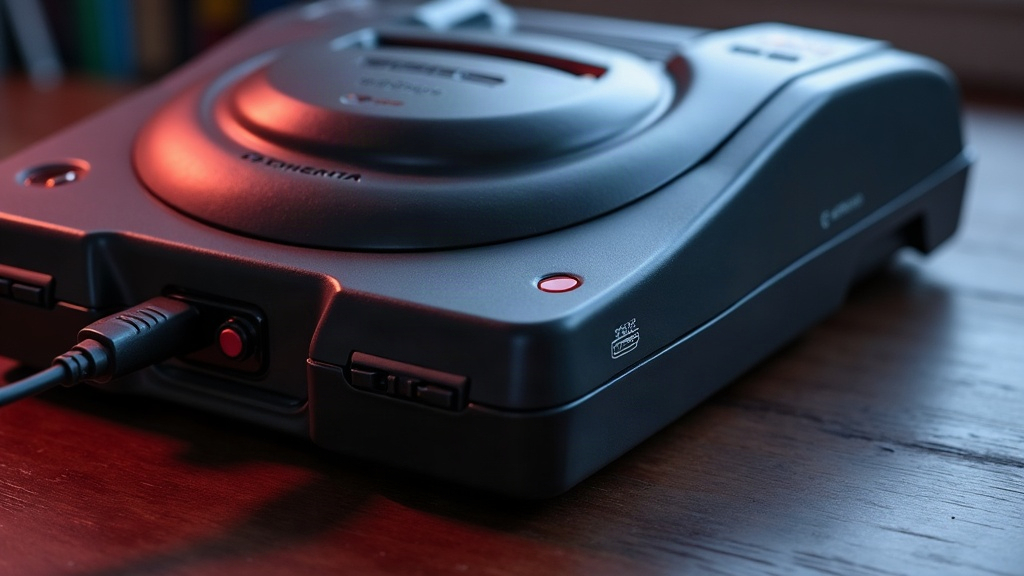
If you’ve still got a Sega Genesis Model 1 sitting around and you’re tired of that soft, fuzzy composite picture, there’s one cheap fix that actually works: an RGB SCART cable. You don’t need to mod the console, you don’t need a fancy adapter box, just the right cable wired correctly. Here’s what to look for, what to buy, and what to avoid.
Why RGB SCART Matters for Genesis Model 1
Out of the box, the Model 1 spits out composite video, and composite video just isn’t great. It’s soft around the edges, a little noisy, and colors tend to look washed out once you put it on a modern TV or run it through an upscaler. RGB (Red, Green, Blue), sent through a SCART connector, skips the composite encoding step entirely. What do you get instead?
- Sharper edges and cleaner pixel definition
- More accurate, saturated colors
- No color bleeding or dot crawl artifacts
- Better compatibility with OSSC, RetroTINK, and Framemeister upscalers
The good news: the Model 1 already outputs RGB through its multi-out AV port. No soldering, no opening the case. Just plug in the correct cable and you’re done.
What Makes a Good Budget RGB SCART Cable
Here’s the catch though. Cheap doesn’t always mean good, and a lot of budget cables cut corners in ways that aren’t obvious until you’re already staring at a rolling or blurry picture. Check for these four things before you buy.
1. True RGB Wiring, Not Composite-in-Disguise
Some sellers slap a SCART plug on a composite cable and call it a day. It looks the part, it just doesn’t perform like one. Before buying, make sure the listing explicitly says “RGB SCART” and references pin 15, pin 7, and pin 11 (the actual RGB lines), not just pin 20, which is composite.
2. Proper Sync (CSYNC) Handling
The Model 1 needs its composite sync stripped out properly, or you’ll end up with a rolling, flickering mess on screen. A lot of the cheapest cables just don’t handle this well. Look for listings that mention “sync on composite,” and if your display is picky, you may need a separate sync stripper or booster anyway.
3. Shielded Cable and Solid Connectors
Even on a tight budget, skip anything with thin, unshielded wire or a SCART plug that wobbles in the port. That kind of build quality leads to interference, static lines, or the picture cutting out randomly mid-game.
4. Correct Model Compatibility
This one trips up a lot of buyers: Model 1 and Model 2 Genesis units use completely different multi-out pinouts. A cable made for Model 2 simply won’t work right on a Model 1, so double-check the listing before you hit buy.
Top Budget RGB SCART Cable Picks
RetroGamingCables Genesis Model 1 RGB SCART
This one shows up constantly in recommendation threads, and for good reason. Genuine RGB wiring, decent shielding, and it comes pre-tested before shipping. Priced low enough that it’s an easy first upgrade whether you’re running a CRT or an OSSC.
Console5 RGB SCART Cable
Console5 has built a reputation in the retro scene for actually checking their cables before they go out the door. It costs a bit more than the rock-bottom options, but the sturdier connectors make that extra few dollars feel justified.
AliExpress/eBay Generic RGB SCART Cables
You’ll find these for next to nothing, and plenty of buyers report zero issues. The problem is consistency: one seller’s cable might be flawless, another’s might be garbage, even if the photos look identical. If you go this route:
- Read recent reviews, specifically ones mentioning the Genesis Model 1 by name
- Steer clear of vague listings that just say “for Sega Genesis” without specifying the model
- Test the cable the moment it arrives, since quality control is hit or miss
Setting Up Your Cable Correctly
- Plug the SCART end straight into your TV’s SCART input, or into an RGB-capable upscaler like the OSSC or RetroTINK-2X.
- Make sure your TV or upscaler is actually set to read RGB over SCART. Some TVs detect this automatically through pin 16, others make you dig into a menu and select it manually.
- Power on the console and check for a stable, properly colored image. Seeing rolling lines or sync flicker? That’s your cue to add a sync stripper.
Common Mistakes to Avoid
- Buying a Model 2 cable by mistake. Always confirm which console the listing is for.
- Assuming any SCART cable does RGB. Plenty of cheap SCART cables are composite-only underneath.
- Brushing off sync issues. Spending a couple extra dollars on a cable with proper sync handling now will save you a headache (and a returned package) later.
Conclusion
You really don’t need to spend big to get a massively better picture out of your Sega Genesis Model 1. Grab a properly wired RGB SCART cable, one with true RGB output, decent shielding, and correct sync handling, and you’ll get crisp, vivid visuals whether you’re on a CRT or a modern upscaler. Stick to sellers with a track record, triple-check that it’s made for the Model 1, and you’ll end up with a picture that looks far more expensive than what you actually paid for it.