Fixing Sega Dreamcast Audio Hiss and Buzzing: Complete Guide
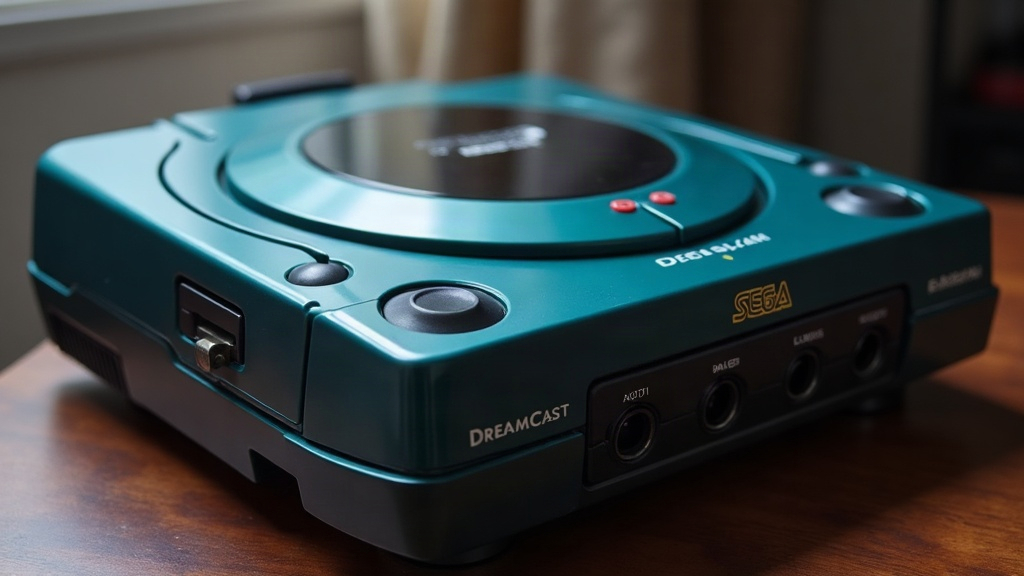
If your Dreamcast is hissing, humming, or buzzing through the TV, there are really only three usual suspects: a tired AV cable, a capacitor on its way out, or a ground loop from whatever setup you’ve got it plugged into. Below is the order I’d actually check things in, starting with the stuff that takes two minutes and ending with the soldering iron.
Why Does the Dreamcast Make Noise in the First Place?
The console is pushing 25+ years old at this point. Its analog audio path runs through a bunch of electrolytic capacitors whose whole job is to smooth and filter the signal before it hits your TV or amp. Those caps don’t last forever: they dry out, lose capacitance, sometimes leak, and the result is hiss, buzz, or a low hum creeping into the sound. Pair that with a composite or RF cable that’s been coiled in a drawer since 2003, and noise isn’t really surprising anymore. It’s almost expected on a console that’s never been touched.
Step 1: Rule Out the Simple Stuff First
Before you crack the case open, run through these first:
- Swap the AV cable. Original Sega composite and RF cables are old, and their shielding has degraded. Honestly, a worn stock cable is the single most common cause of hiss I run into.
- Try a different TV or audio input. Some modern TVs and receivers add their own noise when fed a composite/analog signal, especially if there’s an HDMI upscaler in the chain.
- Check the power outlet. Move the console to a different outlet or power strip. Dirty AC, or sharing a circuit with fluorescent lighting, can inject a buzz you’d swear was coming from the console itself.
- Unplug nearby electronics. Phone chargers, routers, anything with a switching power supply can induce noise into unshielded cables sitting nearby.
None of that helped? Then the problem is probably inside the box.
Step 2: Upgrade to a Better AV Solution
A lot of “my Dreamcast hisses” complaints vanish the moment you stop using the stock composite or RF cable:
- VGA cable + VGA box: For titles that support it, VGA skips a good chunk of the noisy analog circuitry entirely. Cleaner audio, sharper picture, no contest.
- S-Video cable: A solid step up from composite, and usually a noticeable drop in noise for not much money.
- Third-party shielded AV cables: Brands like Retro-Bit, Hyperkin, and various boutique sellers use shielding that’s simply better than what Sega shipped in 1999.
- HDMI mod kits: This converts the signal digitally before it ever reaches your TV, so analog noise is a non-issue. It’s the most permanent fix, but you’re either soldering it in yourself or shipping the console off to a modder.
Step 3: Replace the Failing Capacitors (The Real Fix)
If the hiss or buzz sticks around even with a good cable and clean power, look at the motherboard. Capacitors near the audio output and AV connector are the usual culprits.
What you’ll need:
- A temperature-controlled soldering iron
- Desoldering braid or a solder sucker
- Replacement electrolytic capacitors matching the original values (often 16V/35V low-ESR types)
- A multimeter, to check for leakage or swelling before you even start pulling anything
Process overview:
- Open the Dreamcast and pull the motherboard.
- Look closely at the caps near the AV port and the AICA sound chip. Bulging tops, brown crusty residue, corrosion on the board, these are all telltale signs of leakage.
- Desolder and replace the bad ones one at a time. Pay attention to polarity. Get it backwards and you’ll be doing this twice.
- Reassemble and test the audio before you seal the case back up.
A recapping kit for the Dreamcast usually runs under $15-20, which makes this a popular entry point for people getting into console repair. The board layout is forgiving compared to a lot of other consoles from the same era, so it’s a reasonable first project even if you’ve never picked up a soldering iron before.
Step 4: Check the GD-ROM Drive Motor Noise (Not Audio, But Often Confused)
Sometimes what people call “buzzing” isn’t audio noise at all, it’s mechanical. The GD-ROM drive’s spindle motor or laser sled wearing out sounds different but gets lumped into the same complaint:
- Mechanical buzzing only happens while a disc is spinning or being read, not as a constant hum through the speakers.
- The fix is replacing the spindle motor or relubricating the sled rails, nothing to do with the audio circuit.
If the noise lines up with disc activity rather than running constantly in the background, that’s almost certainly your issue. Don’t waste an afternoon recapping a board when the real problem is a worn-out drive motor.
Quick Troubleshooting Checklist
- Noise present with any cable, any TV → check capacitors
- Noise only with original cables → upgrade to VGA/S-Video/shielded cable
- Noise only near other electronics → ground loop or power interference
- Noise tied to disc spin-up → GD-ROM drive, not audio circuit
Conclusion
Hiss and buzz on a Dreamcast is fixable in nearly every case, it’s just a matter of working through the list. Start cheap: better cable, cleaner outlet, see what that does. If the noise is still there, the capacitors on the board are almost certainly the cause, and a basic recap will usually give you clean audio for years afterward. Go a step further and pair that recap with a VGA or HDMI mod, and you’ll end up with audio and video that’s honestly better than what came out of the box in 1999.