Building the Ultimate DOS Gaming PC on a $50 Budget in 2024
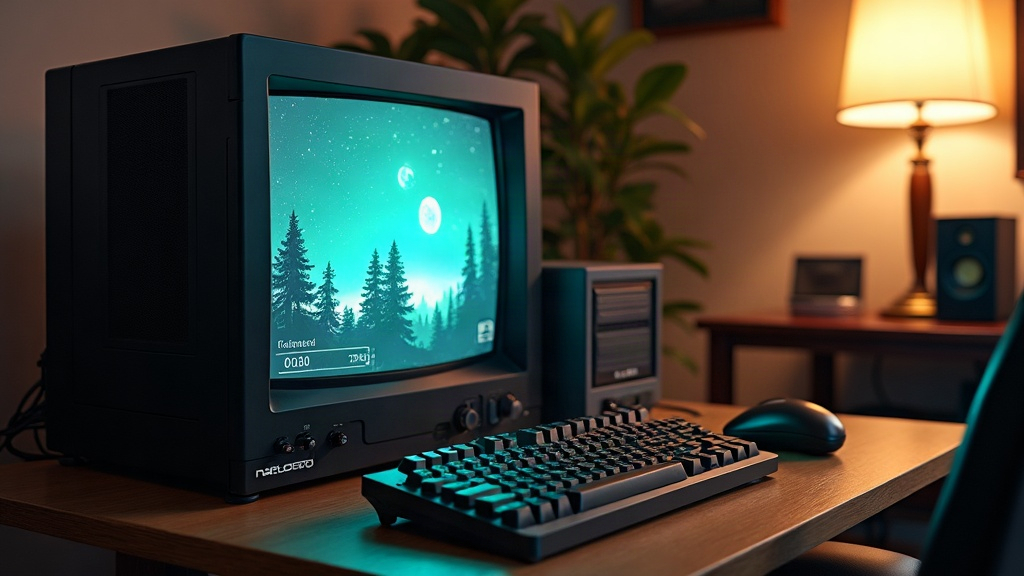
Building a Real DOS Gaming PC on a $50 Budget in 2024
Building a genuine DOS gaming PC for $50 isn’t some clickbait fantasy. It’s doable, but only if you know where to look, what parts actually matter, and where you can afford to cut corners. Below is a realistic parts list, a sourcing game plan, and a setup walkthrough for putting together an authentic MS-DOS rig without touching your savings.
Why Build a Real DOS PC Instead of Emulating?
DOSBox is great. I use it myself for quick sessions. But it just doesn’t nail the feel of period hardware: the exact audio timing quirks of a Sound Blaster 16, the tactile click of a genuine serial mouse, or that particular CRT glow at 320x200 resolution that no LCD filter fully replicates. For collectors and purists, a physical DOS machine is the only thing that scratches that itch.
Here’s the upside though: thanks to three decades of discarded e-waste, 90s-era PCs are frequently cheaper to pick up than a lot of modern “retro gaming” kits being flipped on eBay for inflated prices.
Step 1: Choose Your Era (and Your Budget Reality)
Not every box labeled “DOS PC” is the same beast. First, figure out what you actually want to play:
- Early DOS (1988-1993): 286/386 machines with EGA or VGA graphics. Good for Commander Keen and Wolfenstein 3D.
- Golden Age DOS (1993-1996): 486 or an early Pentium, paired with a Sound Blaster. This is the sweet spot for Doom, Duke Nukem 3D, and X-COM.
- Late DOS (1996-1998): Pentium running at 100-200MHz, built for Quake and the last wave of DOS titles that could also dual-boot into Windows 95.
With $50 to spend, aim squarely at the 486 or early Pentium range. These turn up constantly at thrift stores, estate sales, and local marketplace listings, and they’ll run roughly 90% of the classic DOS catalog without a hitch.
Step 2: Where to Find Cheap Parts
- Thrift stores (Goodwill, Savers): Usually $5-15 for a full tower. Untested, sure, but more often than not it still boots.
- Local classifieds (Facebook Marketplace, Craigslist): Search terms like “vintage computer,” “old PC,” or “Windows 95 PC.” Most sellers have no idea what they’re sitting on.
- eBay “local pickup only” listings: This dodges the brutal shipping costs on a heavy CRT or a full tower case.
- Electronics recyclers and e-waste yards: A lot of these places will let you pull individual parts for a couple of bucks each.
- Friends and family attics: Always ask before you assume. Free beats $15 every single time.
Sample $50 Budget Breakdown
| Item | Source | Cost |
|---|---|---|
| 486 or Pentium tower (barebones) | Thrift store | $10-15 |
| RAM (8-32MB) | Bundled or e-waste yard | $0-5 |
| Hard drive (IDE, any size) | Bundled or spare parts bin | $0-5 |
| Sound Blaster-compatible card | eBay (used) | $10-15 |
| VGA monitor | Free/local pickup | $0-10 |
| Keyboard & serial mouse | Thrift store | $5 |
Your actual totals will swing around a bit, but landing at or under $50 is genuinely achievable, especially if you spread the hunt over a few weeks and check several sources instead of trying to buy everything in one trip.
Step 3: What to Prioritize When Hardware Is Limited
When the budget forces you to choose, rank your priorities like this:
- A working motherboard and CPU. This is the hardest piece to track down cheaply, so don’t skimp here.
- A sound card. DOS games depend heavily on audio. Skip the sound card and you lose Sound Blaster compatibility entirely, which guts the experience fast.
- Enough RAM. 4MB is the bare floor, but 8-16MB is where most late-DOS titles actually feel comfortable.
- Storage. Even a tiny 200-500MB IDE drive is plenty, since DOS games almost never crack a few hundred megabytes.
- Display. A VGA CRT is the gold standard, but if you can’t find one cheap, a VGA-to-HDMI adapter paired with an LCD gets the job done in a pinch.
Step 4: Installing DOS for Free (or Nearly Free)
MS-DOS 6.22 floppy images circulate freely for personal archival use, and FreeDOS is a fully open-source alternative that handles nearly everything the same way. Installing from floppy, or better yet via a bootable CF card adapter (cheap, reliable, and a lot less likely to die on you than an aging mechanical hard drive), keeps your costs low and your uptime high.
Common Pitfalls to Avoid
- Dead CMOS batteries: Almost every vintage board you find will need a $2-3 battery swap just to hold its BIOS settings.
- Capacitor failure: Check motherboards for bulging or leaking capacitors before you hand over any cash.
- IRQ conflicts: Sound cards and other ISA peripherals often demand manual IRQ/DMA configuration. Hang onto the original jumper settings or documentation if you can get your hands on them.
- Overpaying for “rare” items: A common 486 board or a Sound Blaster 16 card is not rare. Don’t let a seller convince you otherwise.
Conclusion
A genuine DOS gaming PC for $50 is a realistic weekend project in 2024, as long as you shop patiently across thrift stores, local listings, and e-waste sources instead of getting suckered into the inflated “retro gaming” marketplace. Put your money toward a working motherboard, CPU, and sound card first, and you’ll end up with a machine that can run the entire golden age of DOS gaming (Doom, X-COM, and everything in between) for less than the cost of a single new video game.